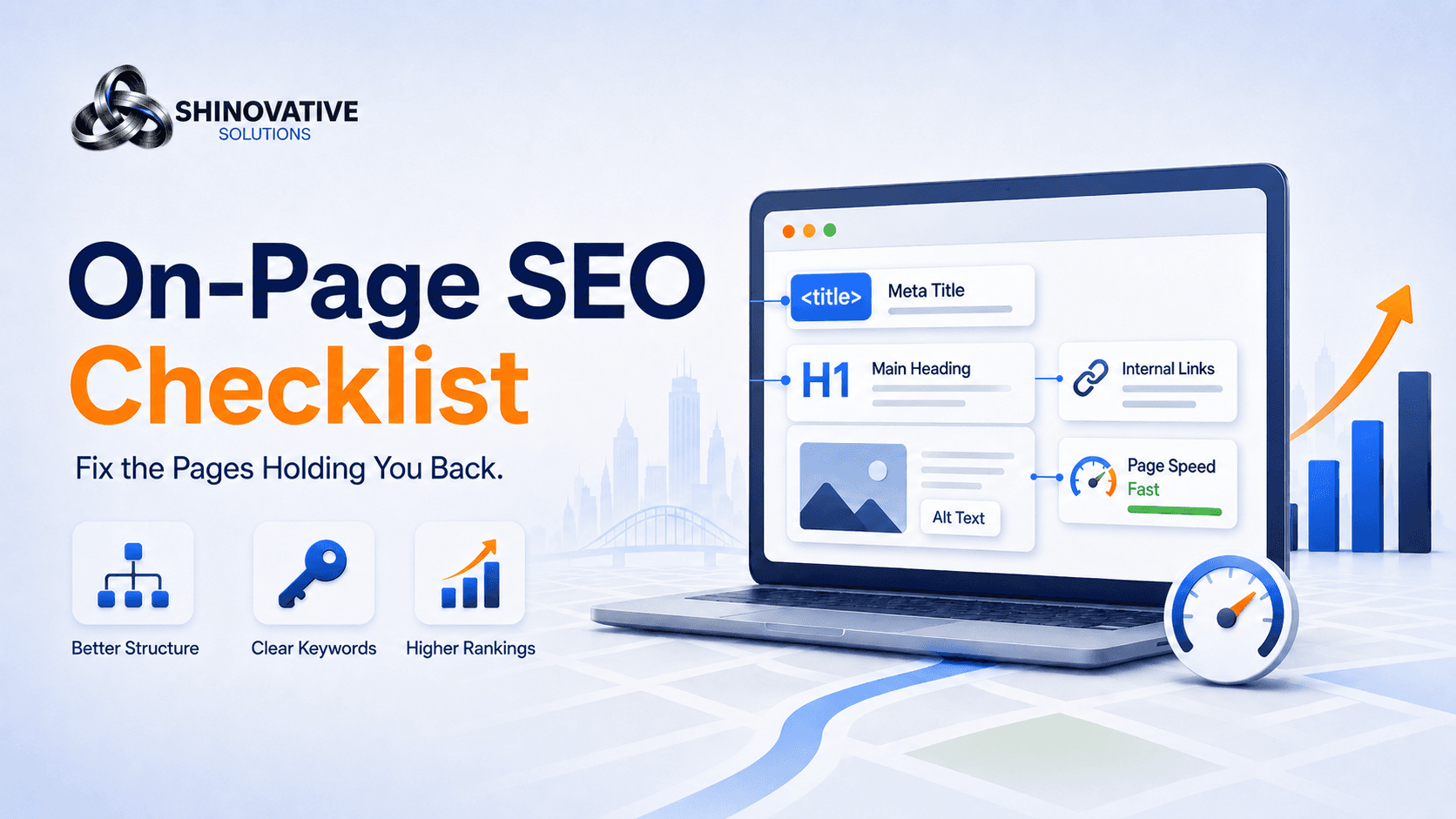
On-Page SEO Checklist: Fix the Pages That Are Holding Your Website Back
Imagine this.
You have a good-looking website. The colors are nice, the services are listed, and the contact form works. But when customers search for your services on Google, your website is nowhere near the top.
This happens to many businesses.
The problem is not always the design. Sometimes, the page looks good to humans but is unclear to search engines. Google may not fully understand what the page is about, who it helps, what service it offers, or why it should rank.
That is where on-page SEO comes in.
On-page SEO is the process of improving the content, structure, headings, keywords, links, images, and user experience of each page on your website.
In simple words:
On-page SEO helps Google understand your page and helps visitors take action once they land on it.
1. Start With One Clear Purpose Per Page
Every important page on your website should have one main job.
A Local SEO page should focus on local SEO. A Google Ads page should focus on Google Ads. An E-Commerce page should focus on e-commerce. A Contact page should help people contact you easily.
Many business websites make the mistake of trying to say everything on one page. That creates confusion.
A good page should answer:
- What is this page about?
- Who is it for?
- What problem does it solve?
- What should the visitor do next?
Example
Weak page focus:
We provide marketing, branding, websites, SEO, ads, automation, training, and business growth solutions.
Better page focus:
Shineovative Solutions helps local businesses improve Google visibility through local SEO, Google Business Profile optimization, service page SEO, and local ranking strategy.
The second version is clearer because the page has a specific purpose.
2. Write a Strong SEO Title
The SEO title is the title that appears in Google search results. It helps both Google and users understand the page.
A good title should include:
- Main keyword
- Clear benefit
- Business or location context, if useful
Examples
Weak title:
Services
Better title:
Local SEO Services to Help Your Business Rank Higher on Google
Weak title:
Digital Marketing
Better title:
Digital Marketing Services for Small Business Growth
Your title does not need to be complicated. It needs to be clear.
If the title does not tell people what the page is about, they may not click.
3. Write a Meta Description That Feels Human
A meta description is the short preview text people often see under your title on Google.
It may not directly guarantee ranking, but it can improve clicks when written well.
A good meta description should:
- Explain what the page offers
- Include the main keyword naturally
- Mention a clear outcome
- Encourage the user to click
Example
Weak meta description:
We provide best services for all your business needs.
Better meta description:
Improve your local visibility with Shineovative’s local SEO services, including Google Business Profile optimization, service page SEO, and ranking strategy.
The better version tells the visitor exactly what they will find.
4. Use Headings Like a Roadmap
Headings are not just for design. They organize your page.
Think of headings like road signs. They help visitors scan quickly and help search engines understand the structure.
Use:
- One H1 for the main page title
- H2s for major sections
- H3s for smaller points inside sections
Example structure for a Local SEO service page
H1: Local SEO Services to Help Your Business Rank Higher

H2: Why Local SEO Matters
H2: What Our Local SEO Service Includes
H2: Google Business Profile Optimization
H2: Local Keyword Strategy
H2: Review and Reputation Growth
H2: Who This Service Is For
H2: FAQs
H2: Get a Local SEO Audit
This structure is easy to scan and easy to understand.
Avoid using headings only for visual size. Headings should explain the page flow.
5. Use Keywords Naturally, Not Repeatedly
Keywords are important, but keyword stuffing makes pages sound robotic.
Bad example:
Our Google Ads agency provides Google Ads services for Google Ads clients looking for Google Ads results.
That sounds unnatural.
Better example:
Shineovative helps businesses run Google Ads campaigns that target high-intent searches, improve lead quality, and reduce wasted ad spend.
This still includes the topic, but it sounds human.
Where to use your main keyword
Use the main keyword naturally in:
- SEO title
- Meta description
- H1
- First paragraph
- One or two H2 headings
- Image alt text
- URL slug
- Body content
The key word is naturally.
If the sentence sounds strange when spoken out loud, rewrite it.
6. Add Internal Links Between Related Pages
Internal links connect one page of your website to another.
They help visitors explore your site and help search engines understand which pages are related.
For example, a blog about local SEO can link to:
- Local SEO Services page
- Google Business Profile Optimization section
- Website Development page
- Google Ads page
- Contact page
Example sentence
If your business depends on nearby customers, our local SEO services can help improve your visibility on Google Search and Google Maps.
The phrase “local SEO services” can link to the service page.
Do not randomly add links everywhere. Add them where they genuinely help the reader.
7. Optimize Images With Clear Alt Text
Images make pages more visual, but search engines need text to understand them.
Alt text describes what an image shows. It also improves accessibility for users who rely on screen readers.
Good alt text should be simple and descriptive.
Examples
Weak alt text:
image1
Better alt text:
Illustration of a local business ranking higher on Google Maps
Weak alt text:
SEO graphic
Better alt text:
Website SEO checklist showing headings, keywords, links, and ranking improvements
Avoid stuffing keywords into alt text. Describe the image naturally.
8. Make the First Screen Clear
When someone lands on your page, they should immediately understand what you do.
The first screen should include:
- Clear headline
- Short explanation
- Main benefit
- CTA button
- Relevant visual
Example
Instead of:
We Build Your Future Digitally
Use:
Get More Local Customers With Local SEO That Improves Google Visibility
The second headline tells visitors what they can expect.
Creative words are good, but clarity should come first.
A confused visitor does not convert.
9. Improve Page Speed and Mobile Experience
Many people visit business websites from mobile phones.
If your website loads slowly, has tiny text, broken buttons, or messy spacing, users leave quickly.
Check:
- Page loads fast
- Images are compressed
- Buttons are easy to tap
- Text is readable on mobile
- Forms are simple
- Navigation is clean
- No layout shift or broken sections
A beautiful website that is slow will lose leads.
A simple website that loads fast and explains clearly can perform better.
10. Add Trust Signals
SEO brings people to your website. Trust makes them contact you.
Add trust signals such as:
- Reviews
- Testimonials
- Client results
- Case studies
- Business experience
- Process explanation
- FAQs
- Clear contact details
- Real photos or branded visuals
For example, instead of only saying:
We are experts in Google Ads.
Show:
Our Google Ads process includes keyword research, campaign setup, conversion tracking, landing page review, negative keyword management, and weekly optimization.
Specifics build trust.
Quick On-Page SEO Checklist
Use this checklist before publishing any important page:
- Page has one clear purpose
- SEO title includes main keyword and benefit
- Meta description is clear and human
- URL slug is short and readable
- H1 clearly explains the page
- H2 headings organize the content
- Main keyword appears naturally
- Images have descriptive alt text
- Internal links are added where useful
- CTA is clear and visible
- Page loads fast
- Mobile layout works properly
- Contact options are easy to find
- Trust signals are included
- Content answers real customer questions
Creative Example: The “Confused Shop” Problem
Think of your website like a physical shop.
If a customer walks in and cannot tell what you sell, where to go, who to talk to, or why they should trust you, they will walk out.
A website works the same way.
Your headings are the signboards. Your service pages are the shelves. Your CTA buttons are the sales assistant. Your reviews are the customer recommendations. Your internal links are the directions to the next section.
On-page SEO is not just technical work. It is organizing your website so both people and Google can understand it quickly.
Common On-Page SEO Mistakes
1. Using vague page titles
A title like “Our Services” is too broad. Use specific titles that explain the service.
2. Writing for Google but not humans
If your content sounds robotic, people will not trust it.
3. Ignoring internal links
Related pages should support each other.
4. Uploading large images
Heavy images can slow down your website and hurt user experience.
5. Having no clear CTA
Every important page should guide the visitor toward the next step.
Final Takeaway
On-page SEO is not about forcing keywords onto a page.
It is about making each page clear, useful, structured, fast, and easy to act on.
When your pages have clear titles, strong headings, natural keywords, helpful content, optimized images, internal links, and trust signals, your website becomes easier for Google to understand and easier for customers to use.
That is when SEO starts becoming more than traffic.
It becomes business growth.
FAQs
What is on-page SEO?
On-page SEO is the process of optimizing individual website pages so they can rank better on search engines and provide a better experience for visitors.
Is on-page SEO different from local SEO?
Yes. On-page SEO focuses on improving website pages. Local SEO focuses on improving visibility in location-based searches, Google Maps, and local results. Both work together.
How many keywords should one page target?
One page should usually focus on one main keyword and a few related secondary keywords. Trying to target too many topics on one page can reduce clarity.
Does image alt text help SEO?
Yes. Alt text helps search engines understand images and improves accessibility. It should describe the image clearly and naturally.
How often should I update website pages for SEO?
Important pages should be reviewed every few months or whenever your services, offers, pricing, examples, or customer questions change.
Internal Link Suggestions
Link this blog to:
- Local SEO Services page
- Website Development Services page
- Google Ads Services page
- Local SEO Checklist blog
- Rank #1 on Google blog
- Contact page
Suggested anchor text:
- local SEO services
- website development for small businesses
- Google Ads services
- local SEO checklist
- rank higher on Google
- website SEO audit
Soft CTA
If your website looks good but still does not bring enough leads, the issue may be hidden in your page structure, content, SEO titles, speed, or conversion flow.
Shineovative Solutions can review your website pages and identify what needs to be improved so your site becomes clearer for Google and more useful for customers.